
Author name: mgandjsports@gmail.com

Digital Work Instructions

How to Get Started with Digital Work Instructions

Digital Work Instructions Digital Work InstructionsWhere To Begin September 3, 2026 · 10 min read · MG&J Associates Most manufacturers already know they need better work instructions. Fewer of them know how to actually get a digital program off the ground. Plenty of teams buy software, hand the project to someone as an extra duty, and six months later have a handful of half finished procedures and very little to show for it. The companies that get this right are not always the ones with the biggest budgets or the newest technology. They are the ones who treat the first digital work instructions project like a real project, with a plan, a team, and a clear definition of what success looks like before anyone opens the software. If you are trying to figure out how to get started with digital work instructions, this guide walks through the planning most teams skip, the team you actually need, the challenges that trip up almost every pilot, and the pitfalls worth avoiding along the way. It is also worth naming what waiting costs you. Every month a plant runs without documented, digital procedures is another month of relying on whichever veteran happens to be on shift, another round of inconsistent training, and another set of inspection results that vary depending on who filled out the checklist. None of that shows up as a single dramatic failure. It shows up slowly, in scrap rates, in onboarding time, and in the quiet frustration of supervisors who keep answering the same questions. Why Every Digital Work Instructions Project Needs a Plan First It is tempting to treat a digital work instructions rollout as a technology purchase. Pick a platform, load in some content, hand out a few tablets, and the problem is solved. In practice, the technology rarely determines whether a project succeeds. The plan behind it does. A solid plan starts with one question. What operational problem are you actually trying to solve? Maybe new operators take too long to get up to speed on a piece of equipment. Maybe inspectors keep missing steps during quality checks. Maybe your maintenance technicians are relying on memory instead of a documented procedure. Naming that problem gives the entire project something to aim at. Without that target, teams tend to default to digitizing everything at once, and that almost always backfires. A company might have hundreds of SOPs, checklists, and training documents sitting in binders or shared drives, and the instinct is to convert all of them right away. That instinct turns a focused improvement effort into an open ended content project with no clear finish line and no obvious return on the time invested. A better approach, and really the best way to create digital work instructions that people actually use, is to pick one meaningful use case, prove that digital instructions move the needle on that specific problem, and expand once you have real results to point to. Part of that plan is deciding, up front, how you will know it worked. Before you change anything, write down how the current process performs. If new operator certification currently takes sixteen instructor hours, write that number down. If a quality inspection currently takes forty five minutes, write that down too. Without a baseline like that, it is almost impossible to prove afterward that the new approach actually helped, and you end up relying on opinions instead of results when leadership asks whether the project was worth it. A clear plan turns a digital work instructions pilot into a project with an actual finish line. Assemble a Team That Includes Both Content Creators and Operators The team behind your first project matters just as much as the plan. It is easy to assume this work belongs entirely to IT or to whoever manages training, but the strongest digital work instructions teams pull from both sides of the floor. You need someone who understands the process inside and out, usually an experienced operator, technician, or inspector, because their knowledge is what actually gets captured. You also need a content creator, someone comfortable turning that expertise into clear steps using photos, video, and simple text. On smaller teams these can be the same person, especially with modern authoring tools that do not require any technical background to use. Just as important, involve the operators who will actually use the instructions once they are built. Give them an early draft and watch them work through it before it goes live everywhere. Are the steps clear? Is anything missing? Does the flow match how the job really gets done on the floor? Testing with real users early catches problems while they are still cheap and easy to fix, instead of after a hundred people have already been trained on a flawed procedure. A small, cross functional group, a project owner, a subject matter expert, a content creator, and a frontline tester, will move faster and produce better results than a large committee that meets once a month. It also helps to have someone representing the broader operational goal, often a supervisor or operations manager, who can speak to whether the new process is actually producing results leadership cares about. That person becomes an important advocate later, when it is time to make the case for expanding the program beyond the first use case. The Real Challenges of Getting Started With Digital Work Instructions Even with a good plan and the right people, most teams run into a familiar set of obstacles the first time they try to digitize work instructions. Time is usually the biggest one. Your best operators and technicians are already busy running the floor, and asking them to also become full time content creators rarely works. Expecting a handful of experienced employees to document dozens of procedures on top of their regular job is a fast way to stall a project before it ever gets moving. The best digital work instruction software for beginners lets operators build content
Uncategorized

Why Consistent Equipment Operator Training Decides Manufacturing Performance

Equipment Operator Training How To Better Train Your Equipment Operators August 26, 2026 · 10 min read · MG&J Associates Walk onto almost any plant floor and you will find the same machine being run three different ways by three different people. One operator learned it from a supervisor who retired years ago. Another picked up the process from a coworker on second shift. A third figured most of it out on their own during the first slow week on the job. None of them are doing anything wrong on purpose. They just never learned the same version of correct. That gap is bigger than it looks. Equipment operator training is one of those responsibilities that every manufacturer says it takes seriously, yet very few actually deliver in a way that holds up across shifts, locations, and new hires. The result is a factory that runs on memory and habit instead of a documented, repeatable standard, and that shows up in safety incidents, scrap, turnover, and downtime long before anyone traces it back to training. None of this means your workforce lacks skill. Most plants are full of people who genuinely know what they are doing. The problem is that the knowledge lives in individual heads instead of in a shared, repeatable system, so the organization never really gets the benefit of its own expertise. Fixing that is not about hiring more trainers. It is about capturing what your best people already know and making it available to everyone else, consistently, every single time. Why Consistent Training Is the Foundation of Manufacturing Performance Manufacturers spend heavily on the equipment itself, from CNC machines to packaging lines to robotics, but the machine only performs as well as the person running it. When every operator learns a slightly different version of the same procedure, the organization does not really have one standard process. It has several, and the differences quietly compound over time. A veteran operator might carry fifteen years of unwritten shortcuts and safety habits in their head. A brand new hire might get two days of shadowing before being expected to keep pace on their own. Someone trained by a different supervisor learns a slightly different sequence again. None of this is captured anywhere, which means the knowledge walks out the door the moment that person leaves. That is why equipment operator training keeps showing up as a strategic priority rather than a simple HR checkbox. As equipment gets more advanced and experienced workers continue to retire, the organizations that document a single, consistent way of doing the job are the ones that keep quality and output steady no matter who is standing at the controls. Think about how much money is tied up in the equipment itself. A single production line can represent a massive capital investment, and every bit of that investment depends on the person operating it knowing exactly what to do. A machine that can run at full capacity in the right hands can just as easily become a bottleneck, or worse, a safety hazard, in the hands of someone who was never properly trained. Consistency turns that expensive equipment into a reliable, repeatable asset instead of a variable one. The Real Challenges Behind Equipment Training for New Employees If consistent training were easy, every plant would already have it. In practice, a handful of stubborn obstacles get in the way, and they tend to show up together rather than one at a time. The first is knowledge that never gets written down. Your most experienced operators know exactly which sensor to check before a changeover or what a particular sound usually means, but that knowledge lives entirely in their heads. When they retire or move on, it leaves with them, and supervisors are left trying to recreate procedures from memory. The second challenge is that training completion and actual competency are not the same thing. An employee can sit through a class, sign a form, and still not be able to safely and independently run the equipment. Measuring training by attendance instead of demonstrated skill hides real gaps until they show up as a mistake on the floor. The third challenge is capacity. Supervisors are already stretched across coaching, troubleshooting, quality checks, and their own production targets. Asking them to also be the sole source of equipment training for new employees, every time, on top of everything else, is not realistic, and it usually means training gets rushed. Rushed training is where most of the inconsistency actually starts, since a shortened explanation almost always skips the reasoning behind a step, leaving the new employee to memorize an action without understanding why it matters. Add a workforce that includes multiple languages, multiple shifts, and multiple facilities, and small gaps in comprehension turn into inconsistent execution. A procedure that makes perfect sense to one supervisor can be interpreted differently by the next person who reads it, especially if it only exists as a paragraph in a binder nobody opens. There is also a shift happening in how training gets evaluated. Auditors and quality standards increasingly expect proof that an employee can actually perform a task correctly, not just a signature confirming they sat through a session. That raises the bar considerably, and it means equipment training for new employees needs to be built around demonstrated competency from the start rather than treated as a formality to get out of the way before someone starts working independently. Consistent training turns tribal knowledge into a documented process every operator can follow. What Happens When Training Is Inconsistent The impact of inconsistent training does not stay contained to one department. It ripples across safety, quality, people, and the bottom line, and the further it spreads, the harder it becomes to trace a specific problem back to its actual root cause. Safety Industrial equipment can cause serious injuries when it is operated incorrectly, and safety guidance is clear that only properly trained employees should be running machinery. Consistent equipment operator

Digital Work Instructions

How to Choose the Right Digital Work Instruction Software

Work Instruction Software How to Choose the Right Digital Work Instruction Software August 20, 2026 · 9 min read · MG&J Associates For years, most manufacturers ran on paper procedures, laminated binders, and the kind of tribal knowledge that lived in one veteran operator’s head. That worked, mostly, right up until that operator retired, or a new hire needed an answer at ten o’clock at night with no supervisor around. Digital work instruction software promises to fix that problem, and today there are more platforms making that promise than ever before. That is exactly what makes the buying decision so hard. Sit through three demos and you will hear about augmented reality, predictive analytics, workflow automation, and a dozen other capabilities that all sound impressive in a slide deck. Somewhere in that noise, it is easy to lose sight of the one question that actually matters. Will this software make it easier for your people to get the job done, and get it done right the first time? Everything else is secondary to that question. At MG&J Associates, we spend a lot of time walking manufacturers through exactly this decision, and the teams who end up happiest with their choice are almost always the ones who kept that question front and center. Whether you are searching for the best digital work instruction software for a single plant or trying to standardize a digital work instruction platform across a whole network of facilities, the same short list of priorities should guide the search. Here is what we tell our clients to look for. Start With How Easy It Is To Create Instructions Most buyers start by picturing the finished product, a clean, polished instruction that looks great on a tablet. That matters, but there is a bigger question hiding underneath it. How easy is it to actually build and update that instruction in the first place? Procedure creation is never a one time project. Equipment changes. A process improves. A new product line gets introduced, and every instruction tied to the old one needs an update. If every single change requires a programmer, an outside consultant, or a lengthy authoring process, your library of digital procedures becomes a bottleneck instead of a solution. Look for software that lets the people closest to the work actually build and maintain the content. A maintenance technician should be able to document a repair. A quality lead should be able to build an inspection. None of them should need to become a software developer to do it. The best platforms feel closer to recording a quick video and organizing a few photos than assembling a complex application. When you are evaluating a platform, hand it to a few frontline employees and ask them to build something real, using a process they already know cold. Do not just watch a vendor’s product specialist do it. If a nontechnical employee struggles to figure out the authoring tools in the first ten minutes, that software is going to struggle to scale across your organization. Give the people who create your procedures tools they can actually use. Use Whatever Media Actually Explains the Work Traditional procedures lean heavily on text, and text is not always the best teacher. Sometimes a photo says more than a paragraph ever could. Sometimes a fifteen second video shows a motion that no amount of writing can fully capture. For certain equipment, a 3D model with a marked up component can save an operator from guessing entirely. A strong digital work instruction platform should let your authors combine whatever mix of media actually communicates the step: text, images, video, diagrams, markups on a photo or video frame, and 3D models where they genuinely add clarity. The goal is not to cram every media type into every instruction. That just recreates the complexity you were trying to remove. The goal is to give your authors the freedom to pick the simplest format that gets the point across, whether that is one clear sentence or one well marked photo. This is one of the biggest differences between a basic digital SOP and work instruction software and a platform that was actually built for frontline manufacturing work. A tool that only handles text and static images will always push your authors back toward long paragraphs for anything complicated. A platform built for manufacturing should feel just as comfortable with a wiring diagram or a torque sequence as it does with a simple checklist. Let AI Give Your Team a Real Head Start AI shows up in nearly every demo now, and it is easy to get caught up counting features instead of asking whether any of them actually help. The better question is simple. Does the AI make it meaningfully faster to create and maintain your procedures? Picture an experienced technician recording a video while they perform a task. Traditionally, someone would need to sit down, watch the whole recording, clip the important moments, pull stills, and write up each step by hand. That is hours of administrative work for a single procedure. Useful AI tools can take a real swing at that first draft instead, breaking a long video into individual steps, flagging the important moments, drafting step descriptions, and helping mark up the resulting images. The subject matter expert should always stay in control. AI gives your team a starting point, not a finished product, and the expert still reviews it, corrects it, and signs off before it goes live. Done well, this combination cuts the administrative burden of procedure creation dramatically without ever taking the judgment of your experienced people out of the loop. AI can draft the first version of a procedure. Your experts still have the final say. Support Both Assigned Work and Just In Time Learning Not every instruction gets used the same way. Sometimes work needs to be formally assigned. A technician receives a preventative maintenance task, completes it, and a supervisor needs a record of what happened, when,

Digital Work Instructions

Why Now Is the Time to Start Digitizing Your Work Instructions

Digital Work Instructions Why Now Is the Time to Start Digitizing Your Work Instructions August 14, 2026 · 11 min read · MG&J Associates For many manufacturers and industrial organizations, the question is no longer whether work instructions should become digital. The more important question is how quickly a company can get started. Paper procedures, PDFs, Word documents, tribal knowledge, and shared folders have supported operations for decades. But as experienced employees retire and companies face growing pressure to improve productivity, quality, training, and compliance, traditional approaches to work instructions are becoming harder to sustain. The good news is that digital transformation does not have to begin with a massive technology rollout. Companies can start small, digitize the procedures that matter most, learn from the process, and expand from there. Whether a company builds internally or outsources procedure creation, the most important step is simply getting started. The Benefits and ROI of Digital Work Instructions Before looking at how to get started, it helps to understand why companies are making the investment. Recent research provides a strong business case for improving how information reaches frontline workers. Deloitte’s 2025 Smart Manufacturing Survey found that manufacturers implementing smart manufacturing initiatives reported average improvements of 10 to 20 percent in production output, 7 to 20 percent in employee productivity, and 10 to 15 percent in unlocked production capacity. Deloitte has also estimated that giving frontline workers a thoughtful mix of technology and digital tools can increase productivity by an average of roughly 22 percent. These figures extend well beyond work instructions alone, but they point to something important: giving employees better digital access to the guidance and tools required to do their jobs creates measurable operational value. Digital work instructions can contribute to that improvement by helping organizations: Standardize how work is performed Reduce reliance on tribal knowledge Decrease procedural errors Accelerate employee onboarding Improve inspection and maintenance consistency Capture photos, measurements, and other evidence during the work Build stronger documentation and audit trails Preserve knowledge from experienced employees The return on investment becomes especially clear when companies consider the hidden cost of the alternative. What does it cost when a technician spends fifteen minutes searching for the correct procedure, or when a missed inspection step leads to unnecessary rework? Individually these events seem small. Across hundreds of employees and thousands of procedures, they add up to real operational expense. Digital work instructions are ultimately about getting the right information to the right employee, at the right time, in a format they can easily follow. Clear, guided procedures give every employee the same accurate starting point. The Challenges With Creating Your Own In House Work Instructions Recognizing the value of digital procedures is usually the easy part. Creating them is where most initiatives slow down. Most companies already have an enormous amount of procedural knowledge, but it is scattered across the organization in SOPs, Word documents, spreadsheets, and shared drives, and some of the most valuable knowledge is not documented anywhere at all. It lives with the technician who has run a machine for twenty years, or the inspector who knows exactly what to look for. Capturing that knowledge takes real time, and organizations building digital work instructions internally tend to run into the same set of obstacles. Subject matter experts are already busy. The people who know a process best are valuable precisely because they are doing the work. Asking them to step away from production, maintenance, or quality duties to write procedures creates a competing priority. Knowing a process is not the same as knowing how to document it. A skilled technician can be excellent at performing a task while still struggling to translate years of experience into a simple, step by step procedure someone else can follow. Procedure creation takes longer than expected. Taking photos, recording video, writing steps, formatting content, and gaining approvals can turn a project that looked simple into months of work. Existing procedures may be outdated. Digitizing an old SOP without validating it just turns an outdated paper process into an outdated digital one. Consistency becomes difficult. If ten employees each write their own procedures, a company can easily end up with ten different formats, writing styles, and levels of detail. Companies searching for the fastest way to digitize work instructions should think about more than software alone. They also need a plan for who will capture, create, review, organize, and maintain the content. Consistent formatting keeps every technician working from the same standard, regardless of shift. Outsource Procedure Creation or Do It Yourself There is no single correct approach to procedure digitization. Some companies should create most of their work instructions internally. Others benefit significantly from outsourcing the initial procedure creation. For many organizations, the best approach is a combination of both. Creating procedures in house. The biggest advantage of internal procedure creation is knowledge. Employees understand a company’s equipment, processes, terminology, and operational environment better than an outside provider will on day one, and building the skills internally can make long term maintenance easier. Complete internal control over content Direct access to subject matter experts Deeper understanding of company specific processes Internal ownership of procedure development Development of long term authoring skills Potentially lower outside service costs The disadvantage is time. Internal teams frequently lack dedicated hours for procedure creation, and a project that was supposed to take three months can easily stretch into a year once daily operational priorities take over. Outsourcing procedure creation. Outsourcing takes a different approach. Instead of asking an internal team to learn a new system, develop standards, capture procedures, and manage an entire project, an outside team helps establish the process and does much of the initial work. Faster initial deployment Less administrative burden on internal employees Consistent procedure formats Experienced procedure capture and authoring resources Faster conversion of existing SOPs and documents Clearer project timelines and deliverables The primary disadvantages are cost and the need to coordinate with an outside team. An external provider still needs

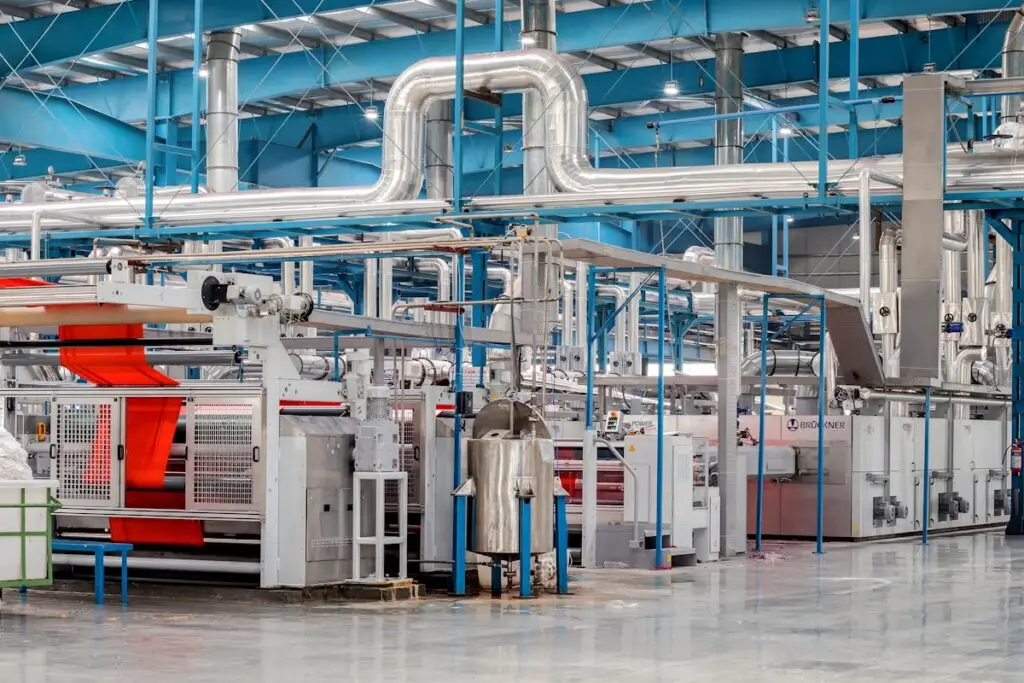
Industrial textile factory with machinery and pipes
Digital Work Instructions

How Digital Work Instructions Are Transforming Modern Manufacturing

Digital Work Instructions How Digital Work Instructions Are Transforming Modern Manufacturing August 10, 2026 · 8 min read · MG&J AssociatesManufacturers have relied on written procedures for decades, and for good reason. A clear set of instructions keeps operators aligned, protects product quality, and gives new hires a place to start. Yet many of these procedures still live on paper, in binders, or in static PDF files that were written years ago and rarely updated since. As production lines grow more complex and workforces turn over faster than ever, that approach is starting to show its limits.Digital work instructions are changing how frontline teams learn, perform, and document their work. Instead of a static page of text, workers follow guided, step by step instructions that can include photos, short videos, measurements, and checkpoints that must be completed before moving forward. This shift is not just about convenience. It is about consistency, safety, and the ability to prove that a job was done correctly, every time it is performed.Clear instructions create consistent work. Consistent work creates reliable quality. What Are Digital Work Instructions? Digital work instructions are step by step procedures delivered through software rather than paper or static documents. Instead of a printed page or PDF checklist, an operator opens a digital procedure on a tablet, computer, or handheld device and is guided through each step of a task in order. A well built digital work instruction typically includes clear text directions, reference photographs, short instructional videos, required measurements, and pass or fail checkpoints. It typically includes: Guided step by step navigation through each task Embedded photos and short videos at the point of need Required data capture such as measurements, photos, or serial numbers Built in pass or fail criteria at each checkpoint Automatic timestamped records of who performed each step Manufacturers, utilities, and oil and gas companies use digital procedures for a wide range of tasks, including equipment setup, quality inspections, preventative maintenance, safety checks, and new employee training. In each case, the goal is the same: replace ambiguous written instructions with software that guides and verifies the work, using digital work instructions with data capture to prove the job was completed correctly. Digital procedures guide every operator through the same steps, regardless of experience level. The Benefits of Digitizing Work Instructions and Adding Video Organizations that move from paper procedures to digital work instructions and video guidance report improvements across several parts of their operation. The most immediate benefit is consistency. When every operator follows the same guided procedure, the variation that comes from relying on memory or personal habit begins to disappear. What Changes When Teams Go Digital Faster onboarding for new employees who can follow visual guidance instead of dense text Fewer errors caused by skipped steps or misread instructions Stronger institutional knowledge that does not walk out the door when an experienced employee leaves Better audit readiness through automatic, timestamped records of completed work Improved safety because critical steps and warnings appear exactly when they are needed Video plays a particularly important role in this shift. A short video clip can communicate a technique, a proper hand position, or the sound of a properly seated component far more effectively than a paragraph of text ever could. New employees often reach competency faster when they can watch a task performed correctly before attempting it themselves, and experienced employees appreciate having a quick visual reference for tasks they perform infrequently. Software for guided step by step procedures also gives supervisors and quality teams real time visibility into what is happening on the floor. Rather than waiting for a shift to end and paperwork to be collected, managers can see which procedures are in progress, where operators are slowing down, and which steps most often produce errors or delays. Watch: A Guided Digital Procedure in Action A short look at how a digital work instruction guides an operator through a task from the first step to the final sign off. Placeholder: replace this image widget with your own walkthrough video once it has been filmed. The Challenges of Creating Digital Procedures Despite the clear advantages, many organizations struggle to get digitization efforts off the ground. Writing a good digital procedure takes more effort than simply retyping an old paper document, and teams that treat digitization as a copy and paste exercise often end up with instructions that are just as unclear as the ones they replaced. Capturing tribal knowledge that exists only in an experienced worker’s head and was never written down Finding time to film, edit, and organize video content alongside daily production demands Keeping procedures updated as equipment, materials, and specifications change Choosing software that is simple enough for frontline workers to use without extensive training Getting buy in from operators who are comfortable with the paper process they already know Many teams also underestimate how much coordination is required across departments. Quality, safety, engineering, and operations often each have their own version of a procedure, and reconciling those differences into a single, accurate digital work instruction takes real effort. Without the right approach and the right software for tracking procedure completion, digitization projects can stall before they ever reach the production floor. How a Work Instruction Solution Solves These Challenges This is where a modern work instruction solution becomes valuable. Rather than asking teams to build digital procedures from scratch in a general purpose document editor, a dedicated procedure creation platform is built specifically to capture, organize, and deliver guided instructions at scale. Purpose built platforms make it easier to capture, edit, and deliver guided procedures at scale. What a Work Instruction Solution Provides Capabilities typically include: Simple tools for recording and editing instructional video directly within the procedure Templates that make it fast to structure a new procedure without starting from a blank page Built in data capture fields for photos, measurements, and pass or fail decisions Version control so every operator is always working from the current, approved procedure Analytics that

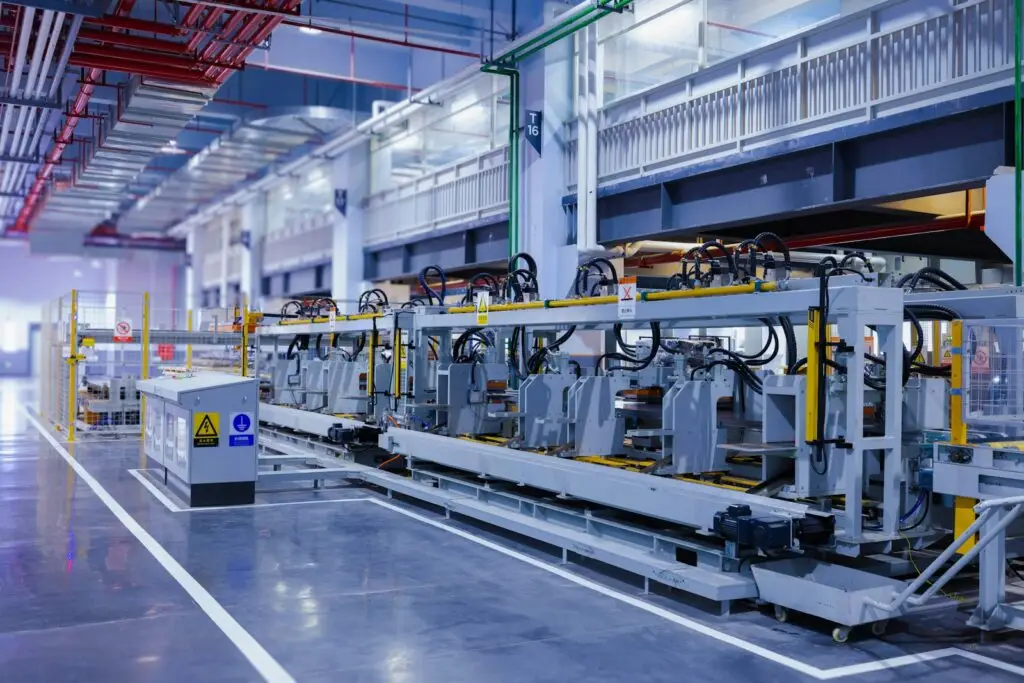
Large industrial manufacturing machine on a factory floor
Quality Inspections

Quality Inspection

Defective parts, rework, and warranty claims rarely start with the inspector; they start with unclear procedures. Here is how standardized digital inspections, evidence capture, and AI assisted validation build better quality from the ground up.

Scroll to Top